Grammar Check - AI Writing app icon
Writing assistant · AI keyboard · Android

Grammar Check
AI Writing

A free AI grammar checker for Android. Fix grammar and spelling in one tap, see a simple explanation for every change, then rewrite, humanize or turn your text into an email, in the app or right inside your keyboard.

GET IT ONGoogle Play Free to download · Optional Pro upgrade
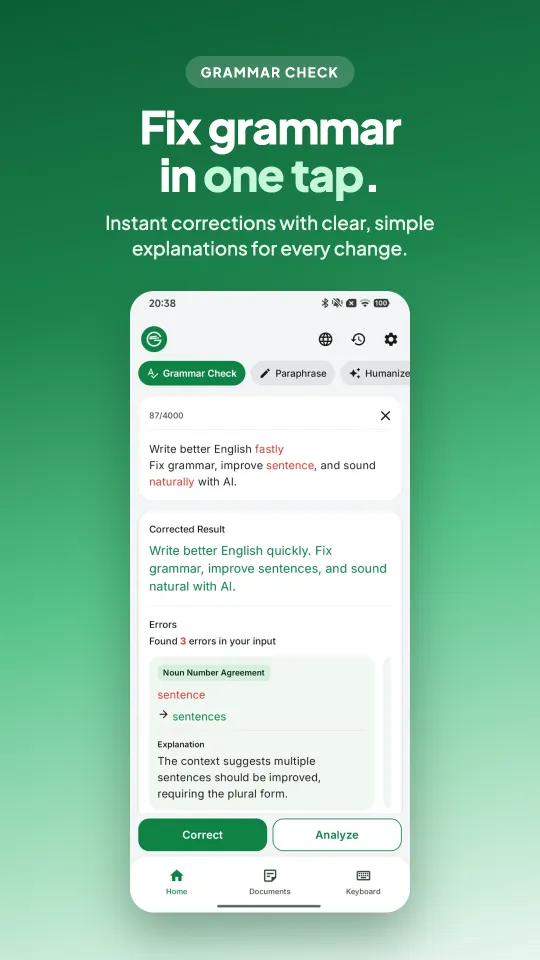
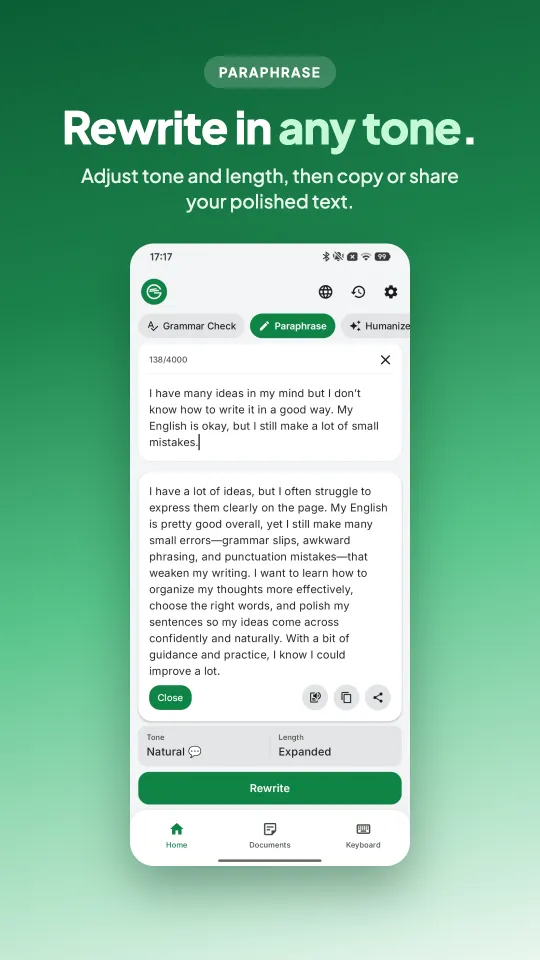
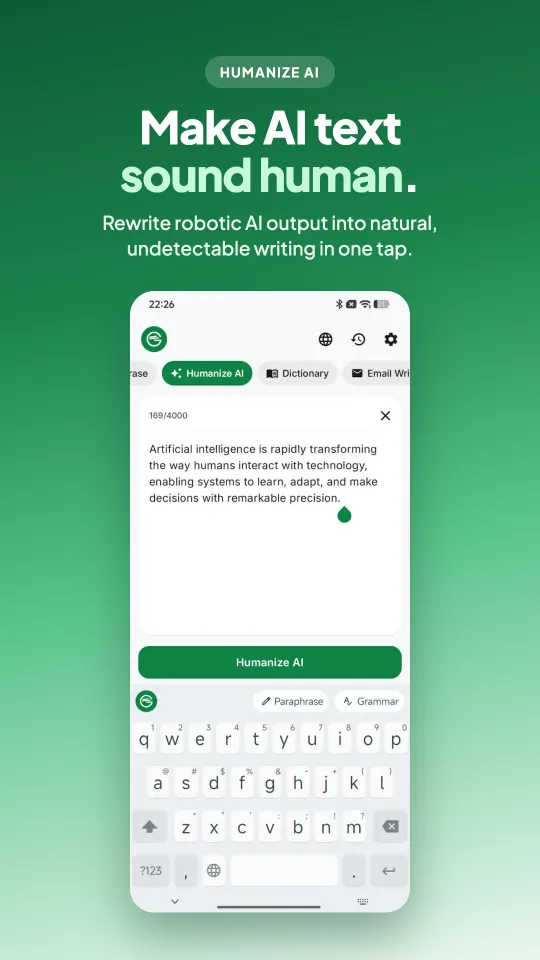
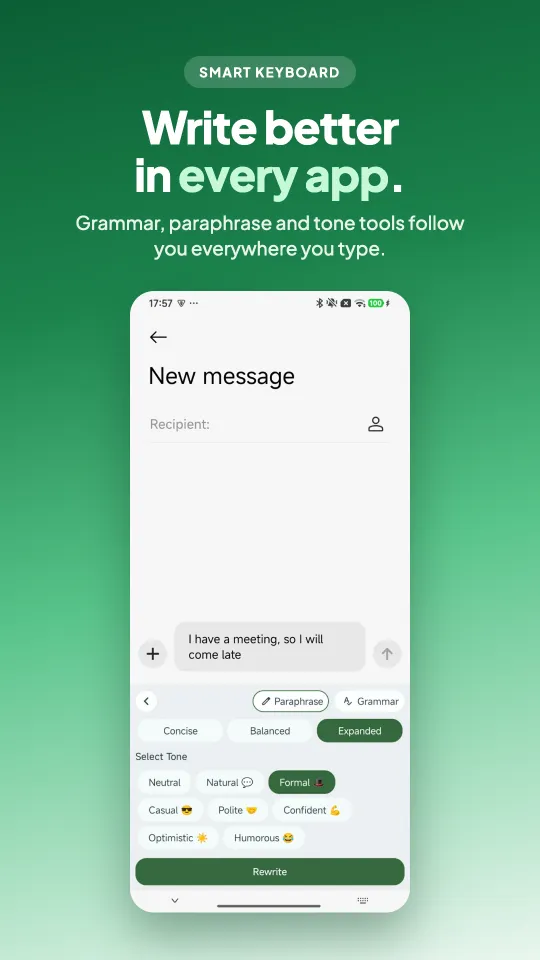
Grammar check screen showing errors and explanations Paraphrase screen with tone and length options Humanize AI text screen AI keyboard writing a message in another app
Features

Everything you need
to write with confidence.

One app for checking, rewriting and polishing everything you write in English and 8 other language styles.

01

AI grammar & spelling checker

Paste or type your text and tap Correct. The AI fixes grammar, spelling and punctuation, and explains each change in plain words, so you learn as you write.

  • Finds every error and shows how many it found
  • Clear explanation for each correction
  • Analyze mode for a deeper review
Grammar checker correcting a sentence with explanations
02

Paraphrase & rewrite in any tone

Say the same thing better. Rewrite sentences to sound more natural, more formal or more confident, and pick how long the result should be.

  • Tones: Natural, Formal, Casual, Polite, Confident, Optimistic, Humorous
  • Length: concise, balanced or expanded
  • Get several variations to choose from
Paraphrase tool with tone options
03

Humanize AI-written text

Turn stiff, robotic AI drafts from ChatGPT and other tools into writing that sounds like you: natural, varied and easy to read.

  • Rewrites AI text in a natural human voice
  • Keeps your meaning and key points
  • Copy or share the result in one tap
Humanize AI text feature
04

AI keyboard that works in every app

Enable the Grammar Check keyboard and get grammar fixes, paraphrasing and tone changes wherever you type: messages, email, social apps and documents.

  • Works in WhatsApp, Gmail, Messenger, Slack and more
  • Fix or rewrite without switching apps
  • The keyboard doesn't store what you type
Grammar Check AI keyboard inside a messaging app
More tools

Built-in extras.

Email writer

Write or reply to emails from a few key points. Pick a purpose (request, follow-up, thank you, apology…) and a tone.

Document editor

Keep longer drafts in Documents and check or rewrite them any time.

Voice input

Speak instead of typing. Speech is converted to text on your device.

9 language styles

English (US, UK, Australia, Canada), German, French, Spanish, Dutch and Portuguese.

How it works

Better writing in three steps.

  1. Type, paste or speak

    Add the text you want to improve, in the app or in any app with the AI keyboard.

  2. Pick a tool

    Correct grammar, paraphrase in a new tone, humanize AI text or write an email.

  3. Copy and send

    Review the highlighted changes, then copy, share or insert the result.

FAQ

Questions, answered.

Is Grammar Check - AI Writing free?

Yes. The app is free to download and use, with ads. An optional Pro subscription removes ads, gives you unlimited usage and uses the best AI model.

Is it available for iPhone?

Not yet. Grammar Check - AI Writing is currently available for Android on Google Play.

Can I check grammar in WhatsApp, Gmail or other apps?

Yes. Turn on the Grammar Check AI keyboard and you can fix grammar, paraphrase and change the tone of your text inside any app where you type.

Can it make ChatGPT or AI-generated text sound human?

Yes. The Humanize tool rewrites AI-generated text so it reads naturally, while keeping your meaning.

Which languages does it support?

You can choose English (US), English (UK), English (Australia), English (Canada), German, French, Spanish, Dutch or Portuguese as your language style.

Is my text private?

Text you submit is used to provide the correction or rewrite you asked for. The keyboard doesn't collect or store what you type, and voice input is converted to text on your device. See the Privacy Policy for full details.

Does it explain grammar mistakes?

Yes. Every correction comes with a short explanation, like noun-number agreement, so you understand the change and avoid it next time.

Start writing better today.

Free on Google Play. Fix your first sentence in seconds.