Mimic app icon
Language learning · Shadowing · Android

Learn languages from
videos you love.

Mimic turns any YouTube video into a speaking lesson. Listen line by line, shadow real native speakers, get instant feedback on your pronunciation and train your ear with dictation.

COMING SOON TOGoogle Play 5 languages · Android
Mimic home screen with recommended videos Shadowing screen with pronunciation feedback Dictation exercise screen AI explanation of a video line
Features

Real videos.
Real speaking practice.

Practice with the creators, shows and channels you already watch, not textbook audio.

01

Turn any YouTube video into a lesson

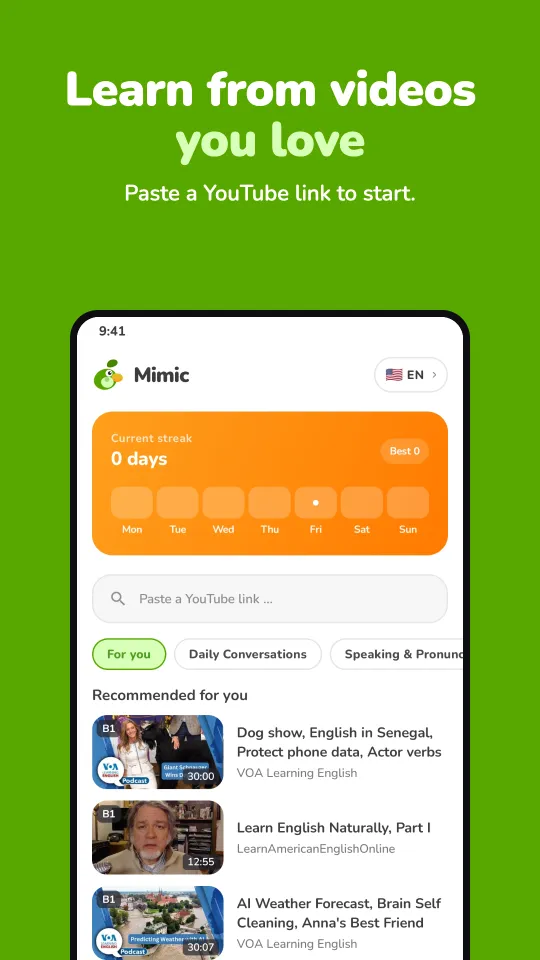
Paste a YouTube link and Mimic fetches the subtitles and splits the video into short clips you can practice one at a time. Or pick from recommended videos for your level.

  • Works with YouTube videos that have subtitles
  • Recommended videos by level and topic
  • Bookmark videos to your library
Mimic video library and YouTube link import
02

Shadowing with instant feedback

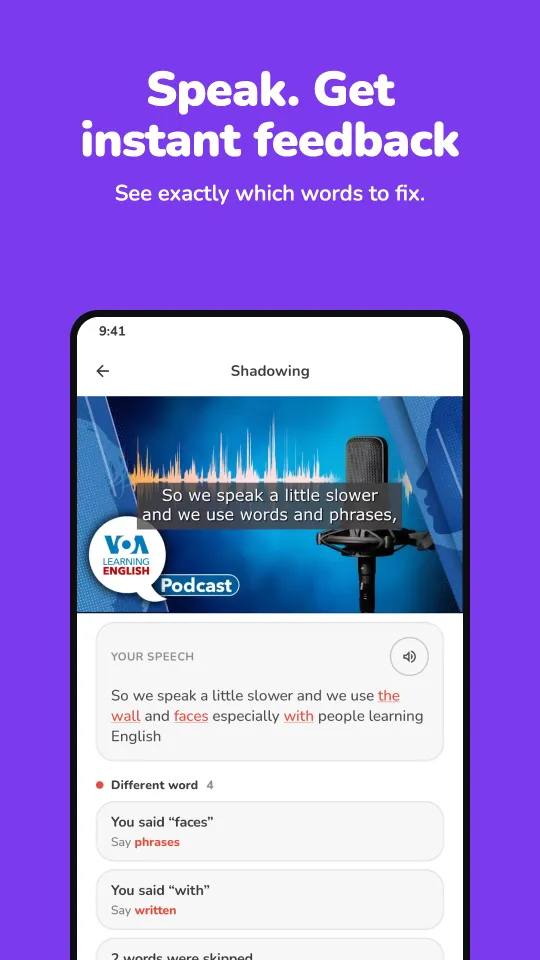
Shadowing means repeating a native speaker right after them. Record yourself on each line and Mimic shows exactly which words to fix.

  • Line-by-line shadowing practice
  • See the words you missed or mispronounced
  • Loop any line and replay it
Shadowing practice with word-level feedback
03

Dictation to train your ear

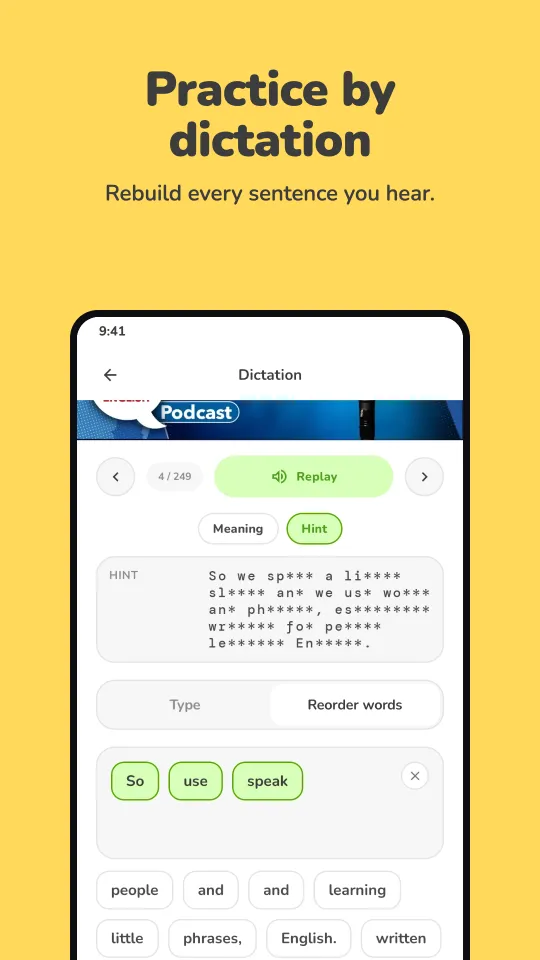
Listen to a line and rebuild it word by word. Dictation sharpens listening and spelling at the same time.

  • Type what you hear or reorder words
  • Hints when you get stuck
  • Replay any line as often as you like
Dictation exercise
04

AI explains every line

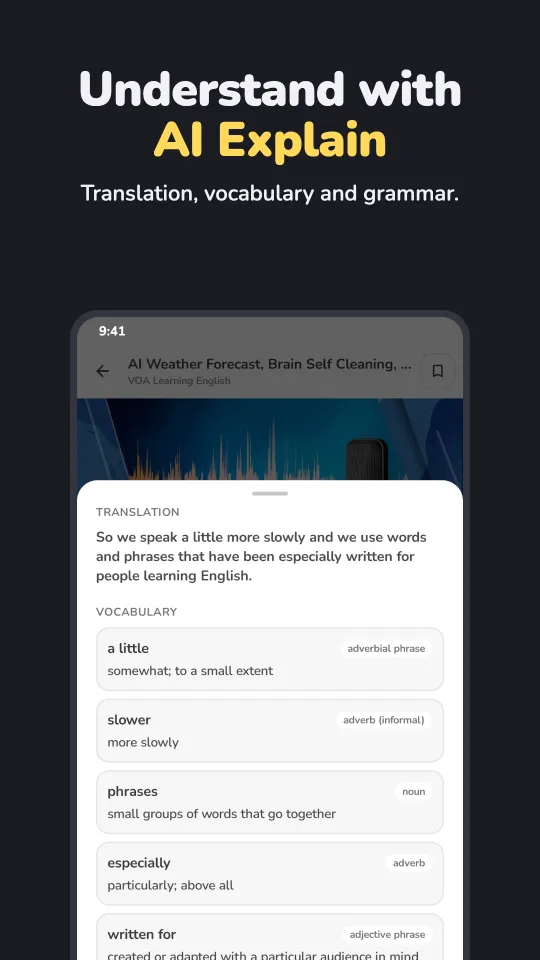
Not sure what a phrase means or why it's said that way? Get any line explained by AI, with translation and context.

  • Translation of each line
  • Vocabulary with meanings and word types
  • Grammar notes
AI explanation of a sentence
More tools

Everything around the video.

Listening mode

Follow a karaoke-style transcript that highlights each line as it's spoken.

Tap-to-look-up dictionary

Tap any word in the transcript to see its meaning without leaving the lesson.

Playback control

Change speed (1× to 2×), jump line by line and loop the hard parts.

Daily streaks

Short daily sessions and streaks turn practice into a habit.

How it works

Start speaking in three steps.

  1. Pick a video

    Paste a YouTube link or choose a recommended video in the language you're learning.

  2. Listen and shadow

    Play one line at a time, then repeat it out loud and get instant feedback.

  3. Review and repeat

    Use dictation and AI explanations to lock in new words and phrases.

FAQ

Questions, answered.

What is shadowing in language learning?

Shadowing is a speaking technique where you listen to a native speaker and repeat what they say right after them, copying their rhythm, stress and intonation. Mimic makes it easy by splitting videos into short lines and giving feedback on each one.

Which languages can I learn with Mimic?

Mimic supports 5 languages: English, Spanish, French, Chinese (Simplified) and Japanese. You can switch the language you're learning any time.

Does it work with any YouTube video?

It works with YouTube videos that have subtitles in the language you're learning. Paste the link and Mimic splits it into clips you can practice.

Do I need a YouTube account?

No. Just paste a video link or pick a recommended video.

When will Mimic be available?

Mimic is coming soon to Google Play for Android. Email us at [email protected] to hear when it launches.

Is my voice recording stored?

No. Mimic doesn't upload your recordings. Audio is captured only while you record and is passed to your device's speech recognition service to score your pronunciation. See the Privacy Policy for full details.

Be the first to try Mimic.

Mimic is coming soon to Google Play. Drop us a line and we'll tell you when it's live.